Posting syntax-highlighted code snippets in your Slack messages (without 'snippets')
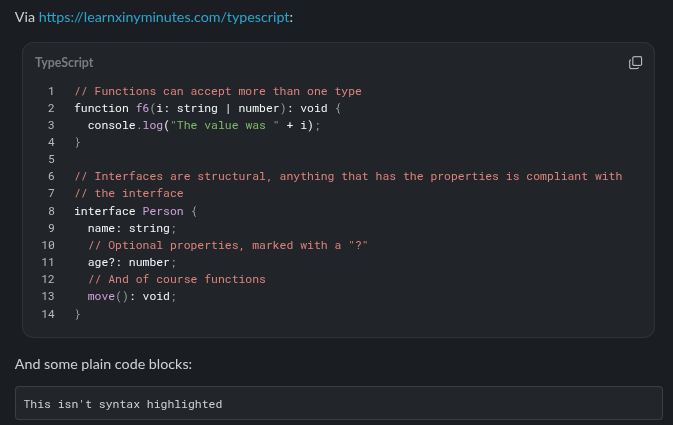
As I've written before, I quite like nicely rendered Slack mesages, which include full syntax highlighting of code snippets.
There was a discussion on reddit last night which brought this up again, which made me think about splitting this specific knowledge into a separate post, so it's more discoverable.
As I was preparing this, I found that Slack already supports posting syntax highlighted code snippets, but it's not super obvious 👀
To be clear, I'm not talking about using a "snippet", but the result of this gives you the syntax highlighted code snippet as a fully inline part of your message.
For instance, we want this sort of output:
I'd previously found that you needed to use the Slack Block Kit to get this rich rendering, but as I was looking at it this morning, I found that actually you don't even need that - Slack (at least as of client (4.51.x) supports it natively!
To get the above text, you can take this input:
Via https://learnxinyminutes.com/typescript:

```typescript
// Functions can accept more than one type
function f6(i: string | number): void {
  console.log("The value was " + i);
}

// Interfaces are structural, anything that has the properties is compliant with
// the interface
interface Person {
  name: string;
  // Optional properties, marked with a "?"
  age?: number;
  // And of course functions
  move(): void;
}
```

And some plain code blocks:

```
This isn't syntax highlighted
```
And paste it into the message box:
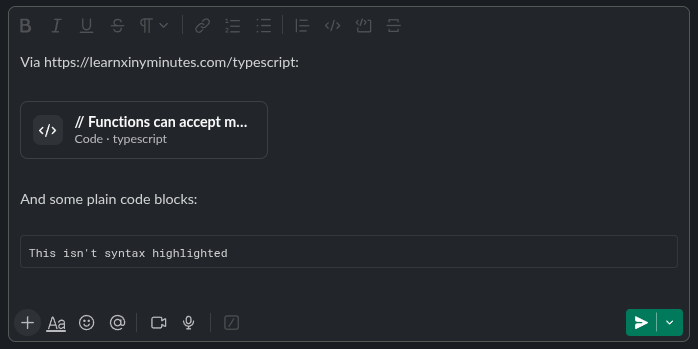
Now, the important thing to note is that this requires you to paste this Markdown into the editor, you can't actually write:
```typescriptTo get a TypeScript-highlighted code snippet.
Knowing that it's possible to do this more straightforwardly means that maybe I don't need my md2slack tool as much, at least until I want to be pasting tables into Slack.
I've tested this with Slack 4.51.x.