Getting a full-width PR review pane on GitHub temporary private forks

Featured image for sharing metadata for article

This is the sort of post that will have more preamble than the resulting code, but bear with me.

If you're working on security fixes to a project on GitHub, you'll likely be using a temporary private fork to collaborate on.

If you do so, as well as things like CI and other GitHub Apps not being enabled on the repo, you'll also find that the PR page doesn't seem to be as responsive as it suggests it will be.

For instance:
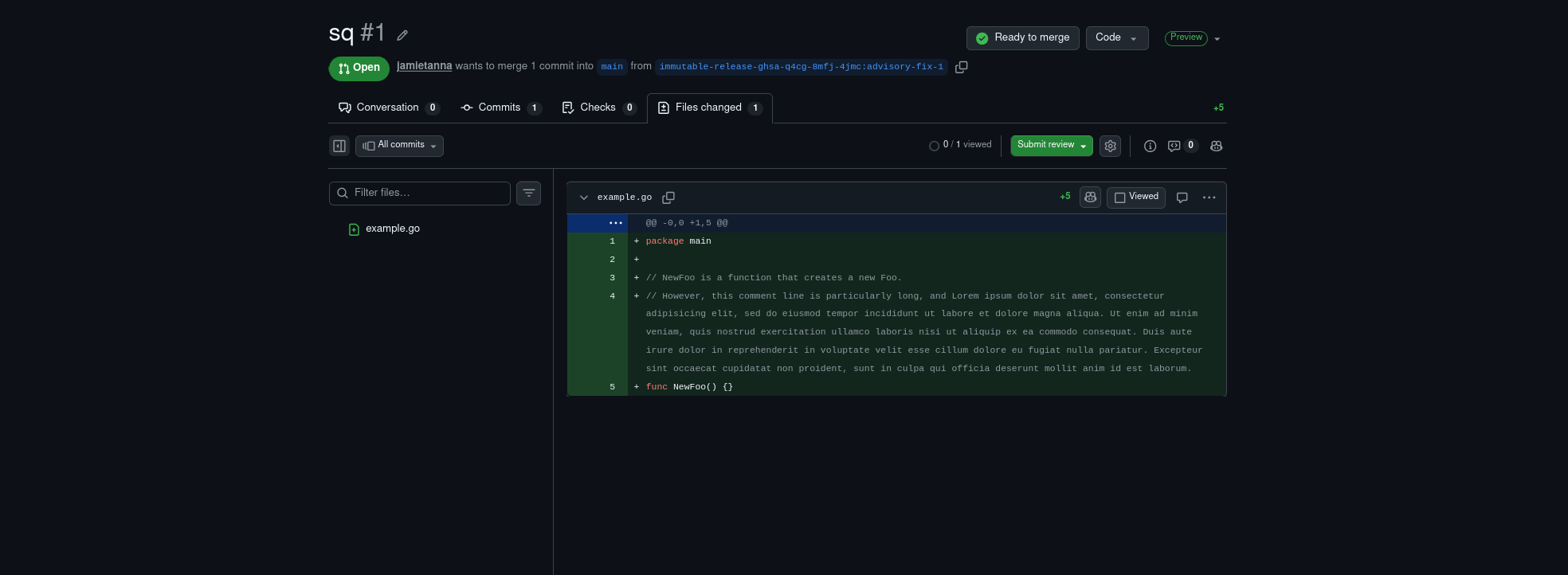
A screenshot of a PR on a temporary fork. There's the PR review UI that you'd expect on GitHub, but for some reason, there's a lot of blank space around the pane. There's an example.go file that's shewing that a long Godoc comment is wrapped over 6 lines, which may be more readable on a wider screen, if the full width was used

We can see that there's a lot of blank space either side of the PR, which wouldn't be the case on a regular PR:
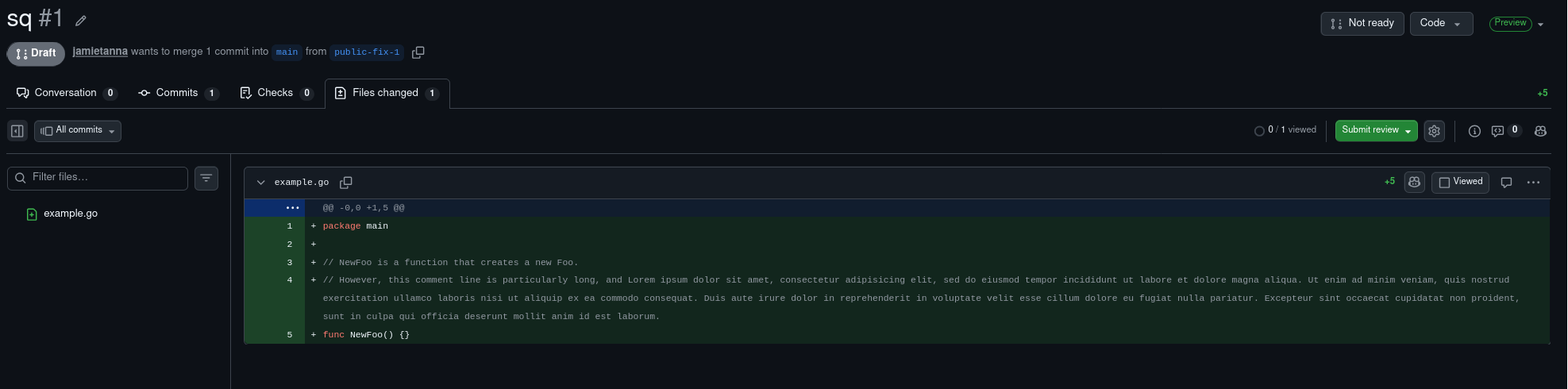
A screenshot of a PR on a regular repo. There's the PR review UI that you'd expect on GitHub, and it's using the full width of the screen. There's an example.go file that's shewing that a long Godoc comment, now wrapped over 2.5 lines, which seems to be more readable on a wider screen

If we use the following client-side Javascript:

document.querySelector('.container-xl.p-responsive').style = 'max-width: 3000px'

We then get the private PR rendering more like we'd expect on a non-temporary repo:
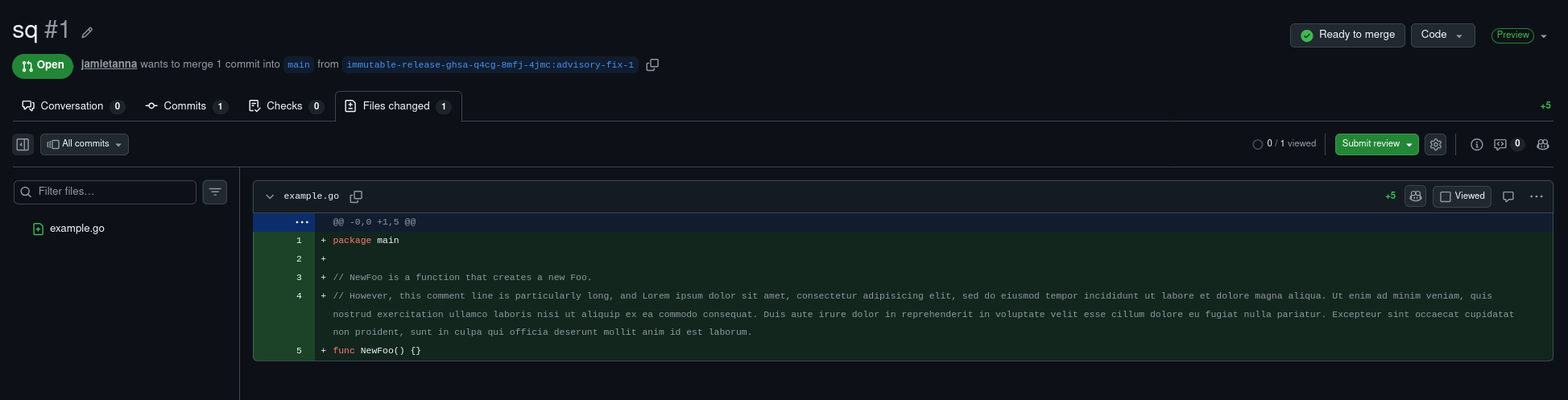
A screenshot of a PR on a temporary fork. There's the PR review UI that you'd expect on GitHub, and it's using the full width of the screen. There's an example.go file that's shewing that a long Godoc comment, now wrapped over 2.5 lines, which seems to be more readable on a wider screen

Written by Jamie Tanna's profile image Jamie Tanna on , and last updated on .

Content for this article is shared under the terms of the Creative Commons Attribution Non Commercial Share Alike 4.0 International, and code is shared under the Apache License 2.0.

#blogumentation #github #css.

This post was filed under articles.

Interactions with this post

Interactions with this post

Below you can find the interactions that this page has had using WebMention.

Have you written a response to this post? Let me know the URL:

Do you not have a website set up with WebMention capabilities? You can use Comment Parade.