My new workflow for local code review with tuicr
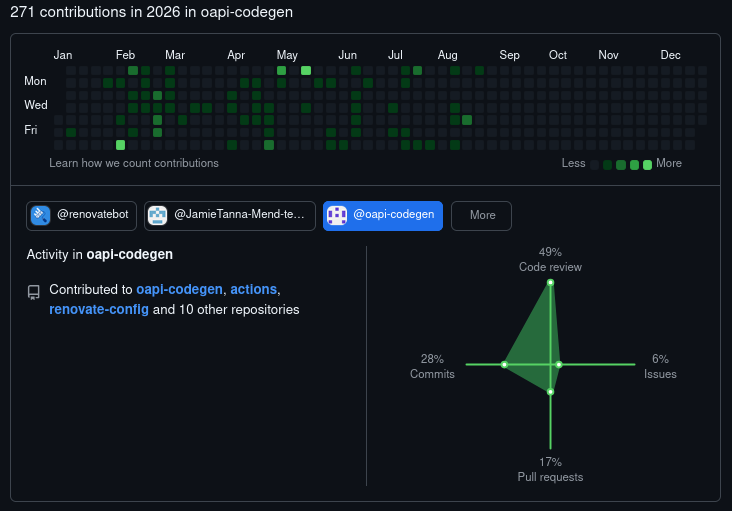
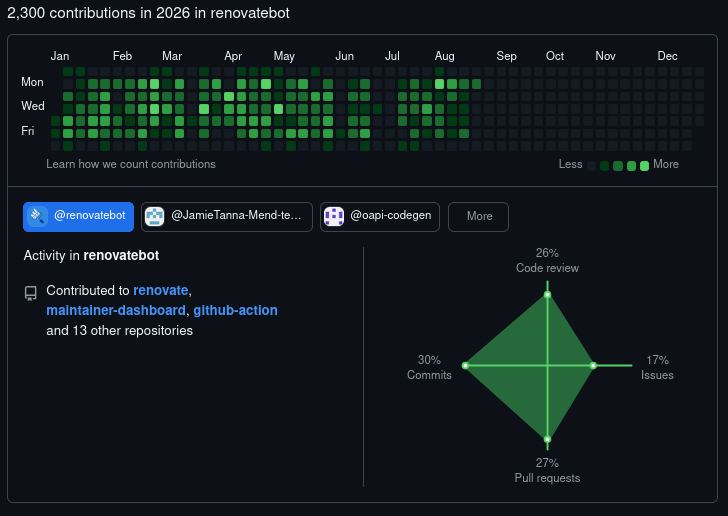
I spend a fair bit of my life reviewing code. Even if you discount the increase in code review that comes from increased usage of the output from Large Language Models, I'm still doing a lot of code review.
Not only am I doing internal code review at work, but as a maintainer on Renovate and oapi-codegen, I spend a lot of time reviewing community contributions, as well as those from our collaborators and maintainers.
You can see how GitHub breaks this down on my GitHub profile:
If you ignore my work reviewing others' changes, I also do a lot of self-code-review, including during the process of writing my commit messages, especially if I've had an LLM help me write the code changes.
My workflow for this has been OK, but given I'm spending more time in this flow, I wanted to see if I could optimise this.
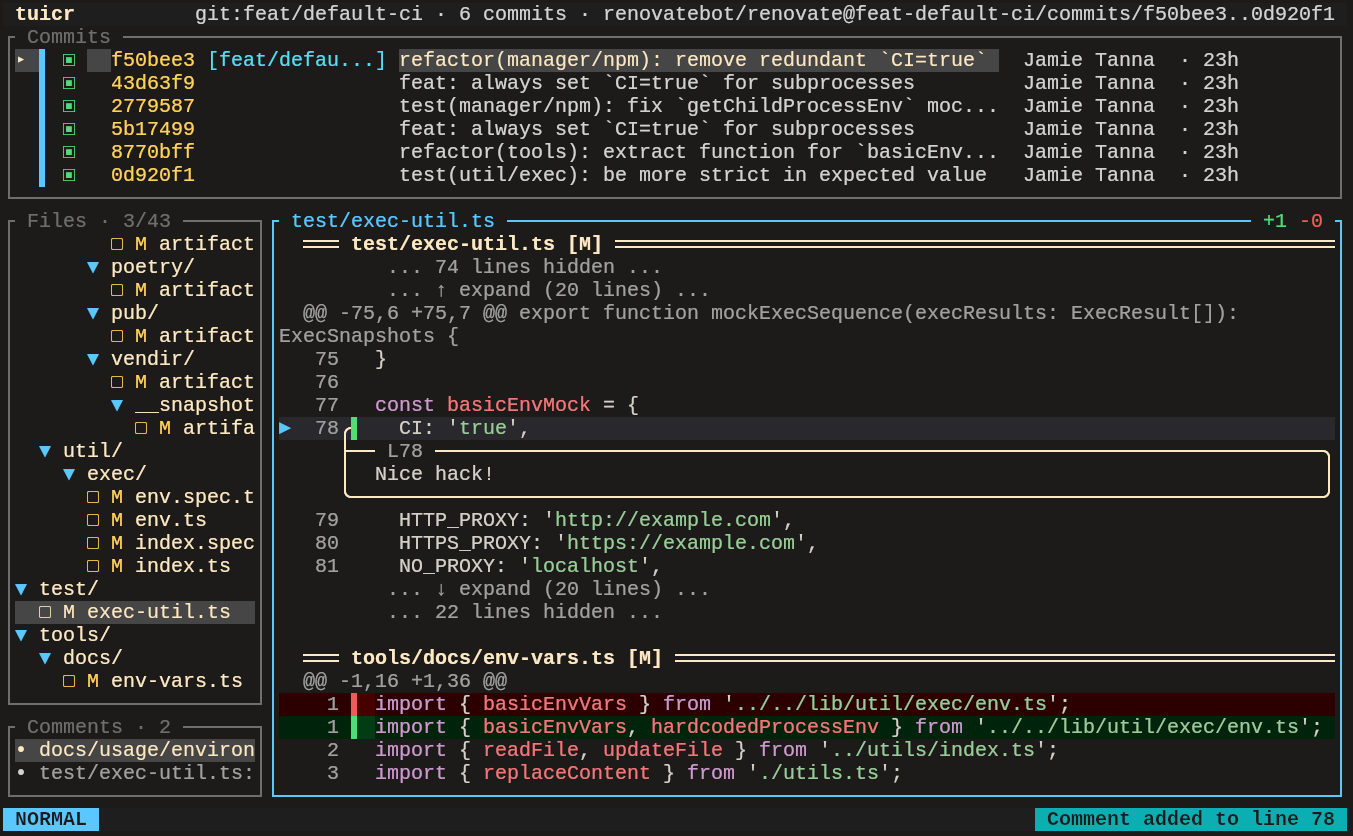
I recently came across a Terminal User Interface (TUI) for code review called tuicr, and immediately gelled with it.
This is different from some of my other blog posts, because this workflow is a little bit in the earlier stages than some of my others - for comparison, my workflow for writing SQL queries in 2024 was documented after ~1 year of refining the workflow, whereas this is maybe a week or so.
I'm enjoying it so far, and will be looking forward to tweaking it as I go on, and I'm sure I'll blog a bit more about it.
Aside from being a nice-looking TUI, tuicr allows reviewing both local and remote changes, which gives me the benefit of being able to pre-review my changes before I raise a PR, and it allows me to review others' PRs/MRs and I can actually submit comments back to GitHub/GitLab and reply inline!
The way tuicr works allows for a fairly offline experience for reviewing the changes which can be handy when travelling (albeit I don't do too much of that at the moment) or when GitHub is down.
I've not yet been using the Agent Skill for tuicr, but it seems like this will be useful for reviewing an AI agent's code and providing a more actionable interface than replying plain in chat.
Example
Let's take the example from a PR I created yesterday, but treat it as a local, unpushed, branch:
We can also review a single commit, which shows the commit message:
We can also open existing PRs. For example, let's look at this draft PR that has comments from Zizmor:
(Note that right now, it's not possible to reply to comments)
These examples aren't super in-depth, because I don't really want to do a full in-depth, live, code review, but you can see how useful it can be.
I've not demoed one of the other useful features, which is being able to export review comments to be able to i.e. pass them to an AI agent, but you can see an example in the README.
Workflow improvements needed
I've not yet perfected the workflow, and there are a couple of improvements I'll be sharing upstream, as well as possibly adding tooling for.
Multi-commit message review
As noted above, I spend time reviewing my commit messages before I have a PR that's ready to merge.
I'm currently working on a couple of gnarly branches that, by necessity, change quite a few things, and so I want to make sure that my commit messages cover this well.
As part of work like this, I'd like to be able to include the commit messages as part of the review process, so when I notice something that needs tweaking, I can add a review comment to the commit message and/or the code.
Then, when I come to rebase and clean up the commits, I have a comment noting change(s) that need doing at every level of the change.
It's currently possible to do this when you're reviewing a single commit, but I thought I'd see how Claude Opus 5 would make this work - I still need to get it into a better state before it goes to a maintainer.
Open comment in $EDITOR
When writing a slightly longer message, or when providing a suggestion for what the code should be instead, it's nice to open up the editor I'd like to write a comment.
I feel this pain in the GitHub UI regularly - always wondering if I get back to giving firenvim more of a try - and will often start typing a response in a Neovim window, instead of in the GitHub UI.
It was intended to be a fairly small change for Claude Opus 5 to allow opening the pane in an editor, but looks a fair bit bigger than I'd have expected.
Amend code at the given commit
Given I'm generally trying to have atomic commits, I'd like to be able to review commit-by-commit, and then get a summary of the changes I need to make at each commit.
It'd be nice if I had the option to do this, given my process is usually:
- Start a rebase
- Pick a given commit to edit
- Open up the files changes
- Use
:Gdiffto view which line(s) are changed - Rewrite those lines as appropriate
- Rewrite the commit message as appropriate
- Continue until complete and happy
As far as I can tell, this isn't quite possible to get tuicr to support this - the review comments all come out of it in one go, rather than saying "based on changes in ..., do ..."
Replying to existing (forge) comments
An outstanding issue, it would be handy to be able to reply to existing PR comments i.e. on GitHub, so I can only use tuicr going forwards.